WavePoint Shift Texts: Terms
Version 1.4 · Last updated October 14, 2026
WavePoint sends pre-shift briefs (the specials, unavailable menu items and events for that shift, with a link to the full brief) and a one-time opt-in confirmation to employees of participating clubs who opt in during sign-up in the WavePoint app.
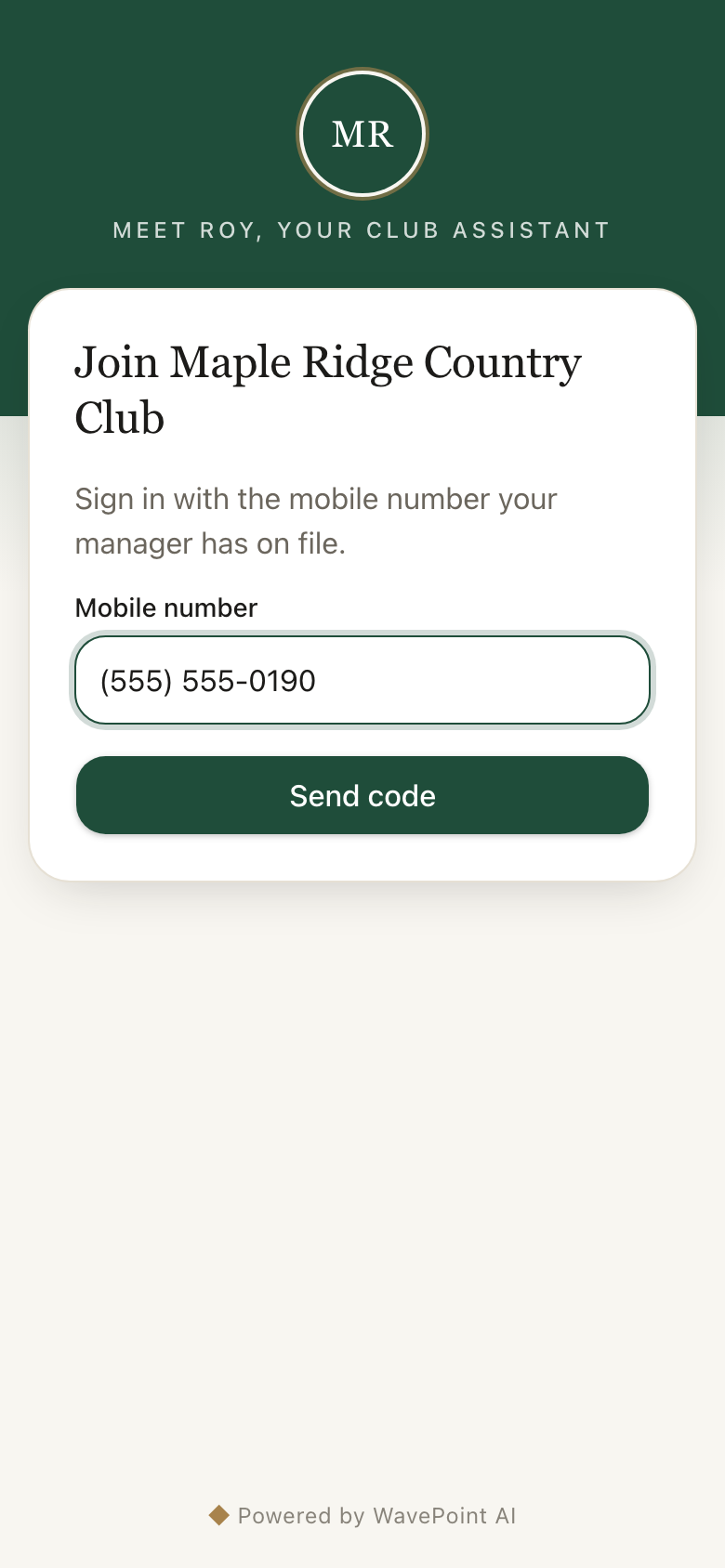
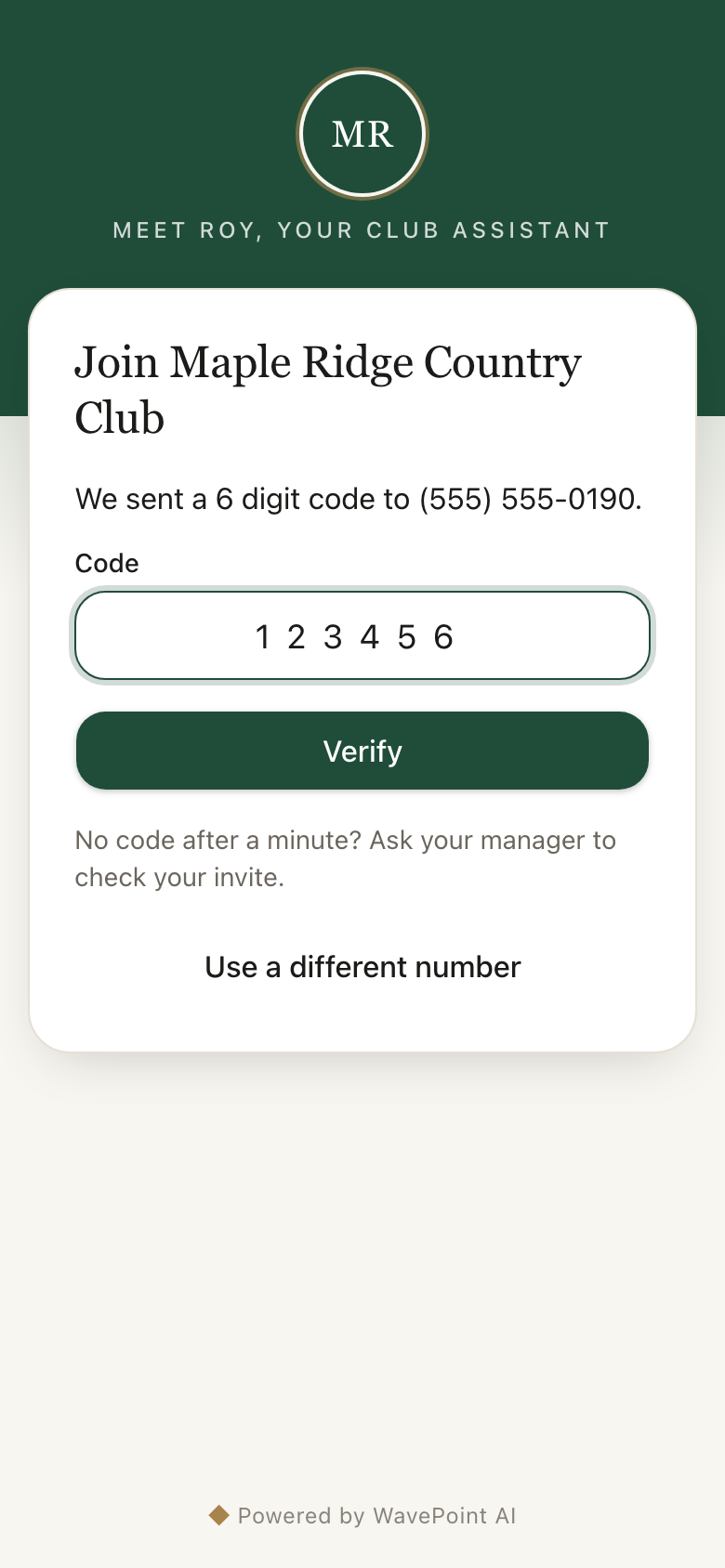
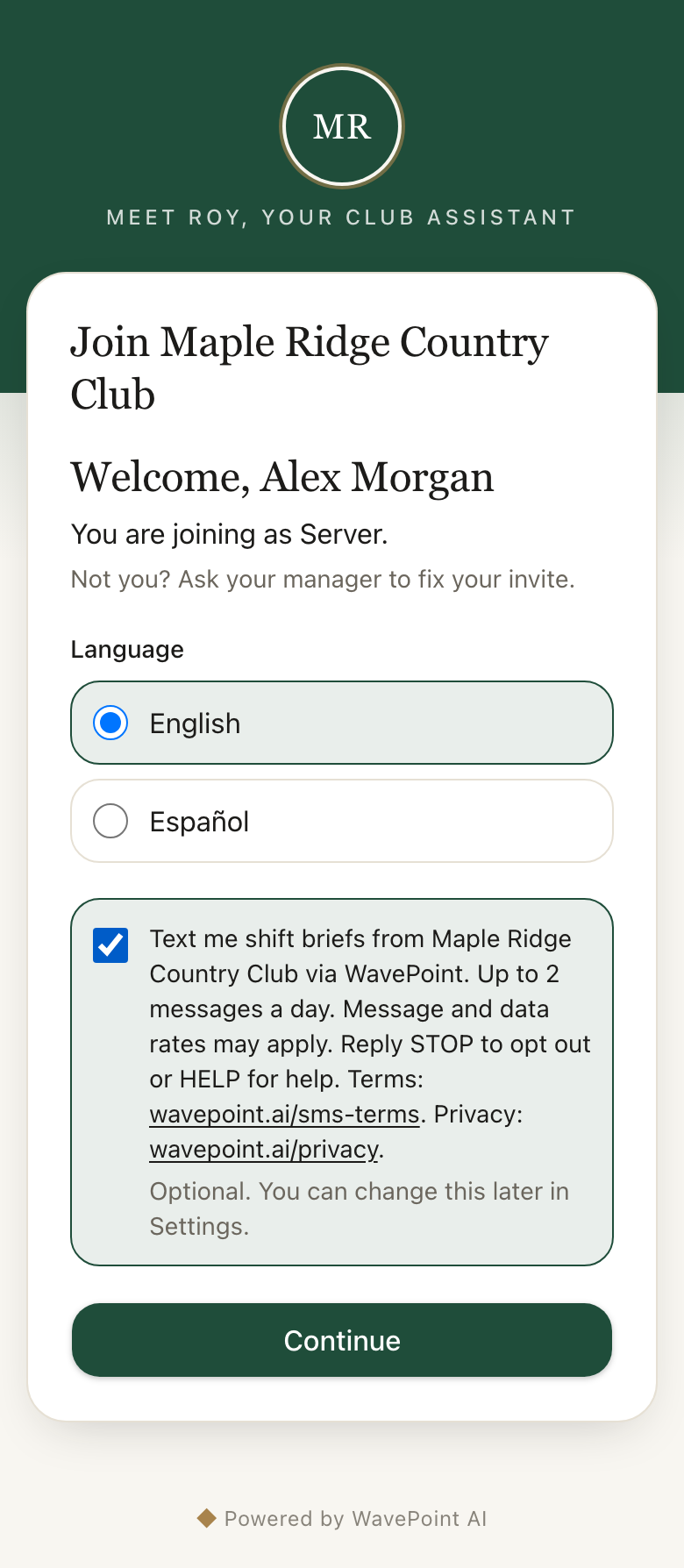
A club manager adds the employee to the club roster with their mobile number. The employee opens the sign-up page for their club, enters that number, verifies it with a one-time code, and then sees an optional checkbox, unchecked by default, to receive shift brief texts. Consent is not required to use the app and can be withdrawn at any time by replying STOP or in Settings. The example below uses a fictional club.
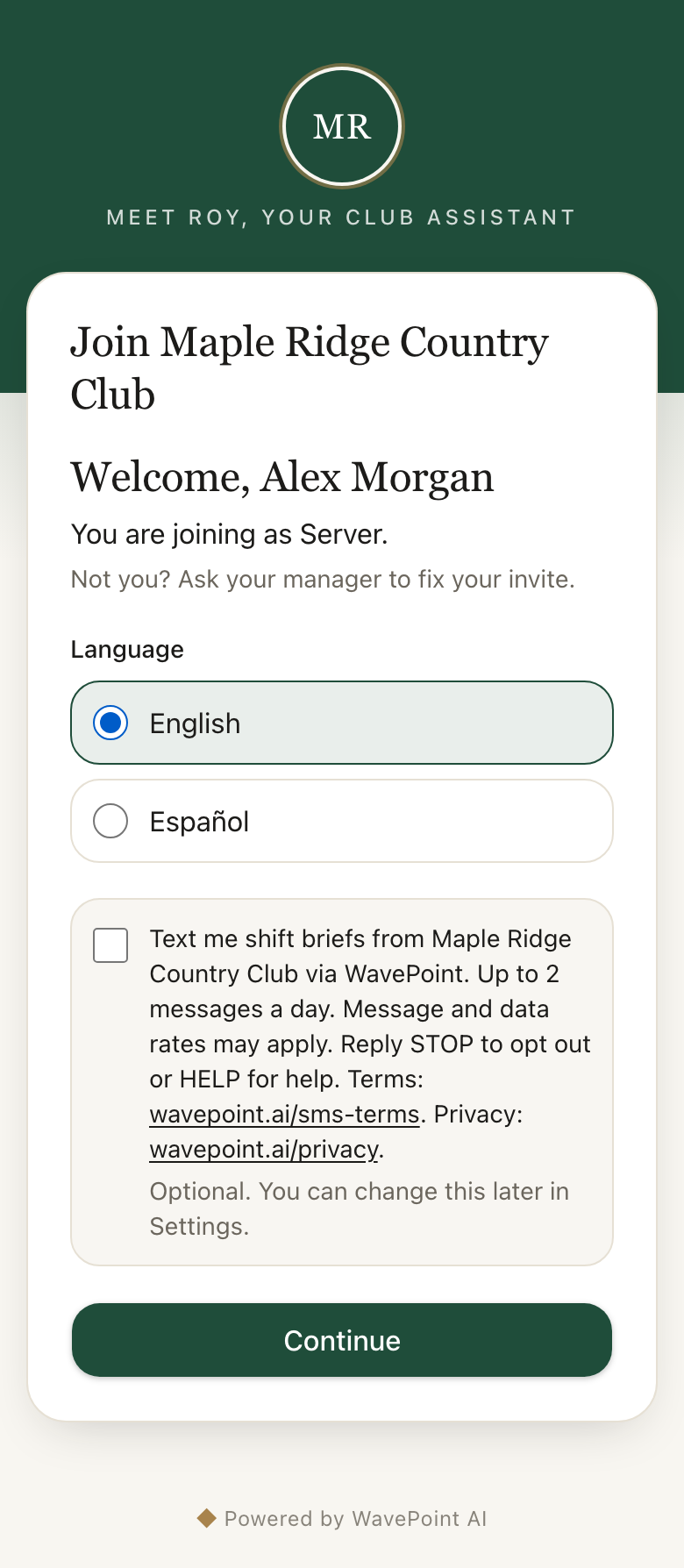
Up to 2 messages per day.
Message and data rates may apply.
Reply STOP at any time. You will receive one confirmation message and no further messages. Reply START to resubscribe.
Reply HELP or email notify@wavepoint.ai.
Carriers are not liable for delayed or undelivered messages.
See our privacy policy at https://wavepoint.ai/privacy. We do not share, sell, or provide your mobile phone number or messaging consent data to third parties or affiliates for marketing or promotional purposes.
Questions about this program? Email notify@wavepoint.ai.